
Fusion Scribe Review:
A Powerful Transcription, Translation,
and an
AI Content Tool for Creators
If You Offer Audio or Video Translation Services
Fusion Scribe Will Transform Your Poduct OutPut With AI
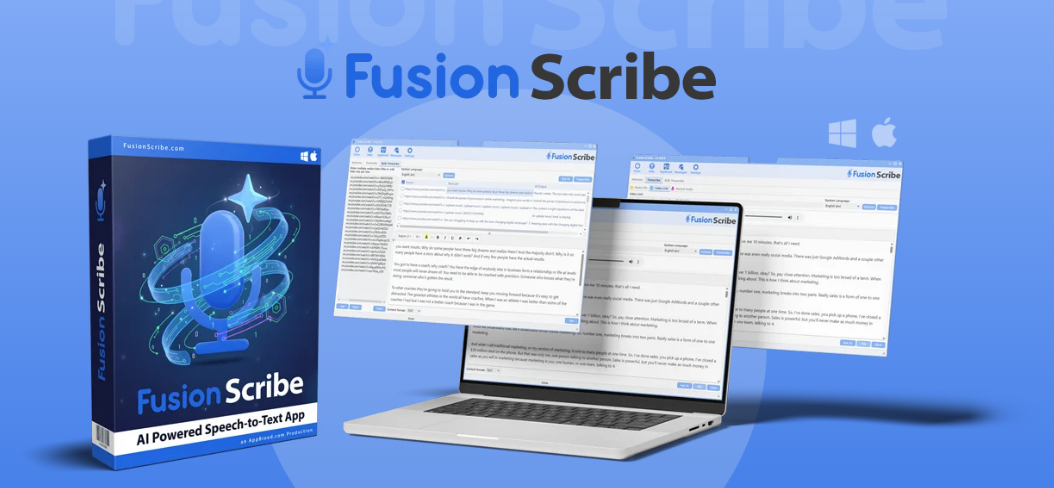
FusionScribe is an AI-powered software designed to efficiently download and transcribe video and audio files directly on your computer. It eliminates the need for monthly subscription fees typically associated with online transcription services.
Key features include:
Bulk Transcription:
Transcribe unlimited videos and audio files using the integrated OpenAI Whisper program and an additional download tool for thousands of websites.
No Limits:
No file length, size, or transcription limits, and no monthly fees.
Transcript Formats:
Provides transcripts in multiple formats including CSV, subtitles, and JSON.
Multilingual Support:
Transcribes in 100 languages and offers offline translation to over
200 languages.
AI Repurposing:
Utilize AI to analyze transcriptions with over 80 pre-loaded prompts for tasks like creating YouTube chapters or summarizing content.
Bulk Processing:
Download, transcribe, and analyze multiple files or links simultaneously.
Extraction Tool:
Automatically extracts video links from playlists, searches, or documents.
Mac Compatibility:
Fully functional on Mac devices.
Voice Recording:
Expand voice transcriptions into engaging content directly.
Commercial Licensing:
Offers a full commercial license and an outsourced license for team use, along with bonuses worth over $200.
Risk-Free Trial:
30-day risk-free trial with a full refund if not satisfied.
FusionScribe aims
to automate the process of content extraction and repurposing with no fees and unlimited capabilities.
If you regularly work with audio or video content, you already know how time-consuming transcription can be. Turning podcasts, YouTube videos, webinars, interviews, training videos, or client recordings into written content can take hours.
Then, once the transcript is complete, there is still the extra work of creating summaries, show notes, subtitles, blog posts, social media content, and marketing material.
That is where Fusion Scribe stands out. Fusion Scribe is a desktop-based transcription, translation, and AI content tool designed to help users turn audio and video files into usable written content quickly.
After using and testing the product, I found that the main features work as advertised, the workflow is practical, and the quality of the AI-generated content is very high.
What Is Fusion Scribe?
Fusion Scribe is software that allows you to transcribe audio and video files, translate content into multiple languages, download media from online sources, process files in bulk, and use AI prompts to turn transcripts into useful content.
Rather than being just another transcription tool, Fusion Scribe is closer to a complete content-repurposing system.
It is aimed at creators, marketers, podcasters, YouTubers, coaches, course creators, agencies, researchers, and anyone who regularly works with spoken content.
One of the biggest selling points is that Fusion Scribe runs locally on your computer. This means your files do not need to be uploaded to a third-party cloud transcription service. For anyone working with private recordings, client calls, interviews, or sensitive information, that is a major benefit.
Main Features
Fusion Scribe includes a wide range of tools, but the main features that stood out during testing were: Transcription:
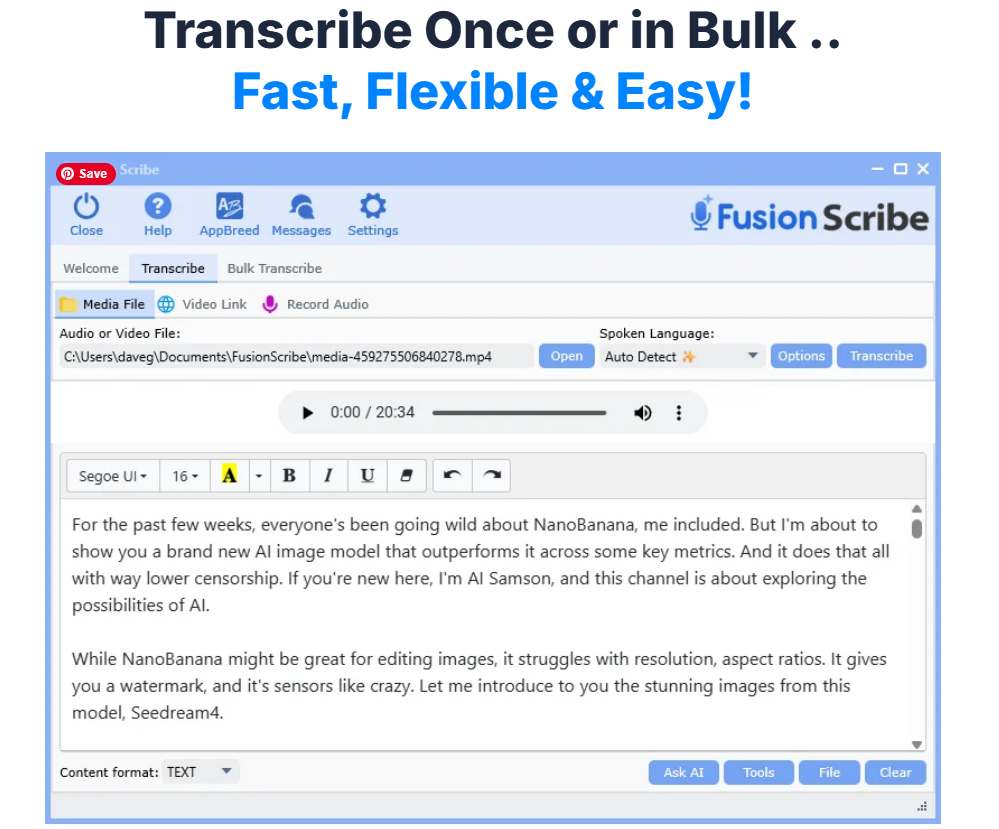
You can convert audio and video files into text. This is useful for podcasts, interviews, YouTube videos, webinars, online courses, meetings, and more.
Bulk Processing: Instead of working with one file at a time, Fusion Scribe lets you process multiple files together. This is a big time-saver if you have a batch of videos, podcast episodes, or client recordings to handle.
Translation:
Fusion Scribe includes translation features, making it useful for turning transcripts or subtitles into different languages.
Video and Audio Downloading:
The software can download audio or video from supported online sources, then move that content into the transcription workflow.
Export Options:
You can export content in useful formats such as text files, subtitles, CSV, and other structured formats. This makes it practical for YouTube captions, blog content, archives, and content planning.
AI Prompt Tools:
This is one of the strongest parts of the software. Fusion Scribe includes built-in prompts that can help turn transcripts into summaries, chapters, show notes, social media posts, blog outlines, action points, marketing copy, and other useful content.
My Experience Using Fusion Scribe
After testing Fusion Scribe, I can say that the features work and the software delivers a strong overall experience. The transcription tools performed well, the translation features worked, and the AI prompt system produced good-quality content.
The prompt tools are especially useful. Once you have a transcript, you can use Fusion Scribe to quickly generate different types of written material from that content.
For example, a single video or podcast episode can be turned into a summary, social posts, a blog outline, show notes, chapter markers, and promotional copy.
This makes Fusion Scribe very useful for people who want to repurpose existing content. If you are creating videos, podcasts, training materials, webinars, or interviews, the software can help you get much more value from each piece of content.
The quality of the AI-generated output is very high. However, it is important to remember that, like all AI tools, the content should still be checked before publishing.
AI can occasionally make mistakes, misunderstand context, or produce wording that needs editing.
That is not a weakness unique to Fusion Scribe; it is simply part of working with AI-generated content.
The important point is that Fusion Scribe gives you a strong first draft. In many cases, it can take you from a blank page to a usable piece of content much faster than doing everything manually.
Who Is Fusion Scribe Best For?
Fusion Scribe is a good fit for anyone who works with audio or video on a regular basis. It is especially useful for:
Content creators who want to turn videos into blogs, captions, summaries, and social media posts.
Podcasters who need transcripts, show notes, episode summaries, and promotional content.
YouTubers who want subtitles, descriptions, chapters, and repurposed written content.
Course creators who need transcripts, learning materials, summaries, and translated content.
Marketing agencies that handle client videos, webinars, interviews, or podcasts.
Researchers and interviewers who need accurate transcripts and organized notes.
Freelancers who offer transcription, content repurposing, or AI-assisted content services. If you only transcribe one short file occasionally,
Fusion Scribe may still be useful, but its real value appears when you are handling regular or repeated content tasks.
What I Like About Fusion Scribe
The biggest advantage of Fusion Scribe is the way it combines several tools into one workflow. Instead of using one platform for downloading, another for transcription, another for translation, and another for AI content generation, Fusion Scribe brings these steps together.
The local processing is another major benefit. Many transcription tools require cloud uploads or monthly subscriptions. Fusion Scribe gives users more control over their files and can be especially appealing to people who care about privacy.
The bulk-processing feature is also a strong point. If you have several files to process, being able to work with them together saves time and reduces repetitive manual work.
The built-in AI prompts are another standout feature.
They help you move beyond transcription and actually create useful content from the transcript.
This is where Fusion Scribe becomes more than a utility tool; it becomes a productivity tool.

Things to Keep in Mind
Fusion Scribe is powerful, but it is still important to use it properly.
First, AI-generated content should always be reviewed. The quality is high, but you should still check facts, edit wording, and make sure the final content matches your voice or brand.
Second, because the software runs on your computer, performance may depend on your hardware. A faster computer will naturally process files more efficiently than an older or lower-powered machine.
Third, if you are using downloaded video or audio from online sources, you should make sure you have the right to use that content, especially for commercial or public publishing.
Fusion Scribe is an impressive tool for transcription, translation, and AI-assisted content creation. It works well, the features are practical, and the quality of the prompt-generated content is very strong.
What makes it stand out is not just that it can transcribe files, but that it helps turn those transcripts into useful content.
For creators, marketers, podcasters, YouTubers, agencies, and course builders, that can save a huge amount of time.
After testing the product, I found that Fusion Scribe delivers on its main promises. The tools work, the workflow is useful, and the AI prompts produce a high standard of content.
Buy Fusion Scribe Today
If you create videos, podcasts, courses, webinars, interviews, or any kind of audio content.
Fusion Scribe is worth checking out. Instead of spending hours manually transcribing, summarizing, translating, and repurposing your content, you can use Fusion Scribe to speed up the entire process and get more value from every recording.
Click the link below to try Fusion Scribe today and see how much time it can save you in your own content workflow.
Only $27 Introduction Price
Private Policy
© Copyright 2026
https://www.jwdirectsales.com
Please be advised that some of the links in this content are affiliate links, and at no additional cost to you, I may earn a commission if you decide to make a purchase after clicking any link. I only recommend products or services I believe will add value to my readers. Please understand the decision to purchase based on these links is entirely at your discretion.