

Insight Analyzer SEO Tool Review
Imagine if Google’s search box had a secret attic.
Inside that attic? Questions people are already asking, keyword ideas hiding behind dusty corners, content angles waiting to be polished, and blog post opportunities waving their tiny little hands saying, “Pick me! Pick me!”
That is basically what Insight Analyzer feels like. It is a one-time-payment desktop SEO software for Windows and Mac, created by Dave Guindon of Appbreed. Instead of locking you into yet another monthly subscription, Insight Analyzer gives you a powerful set of SEO research and content creation tools for a single payment.
And in a world where every software seems to want to nibble at your wallet every month, that alone feels like finding a golden ticket in your inbox.
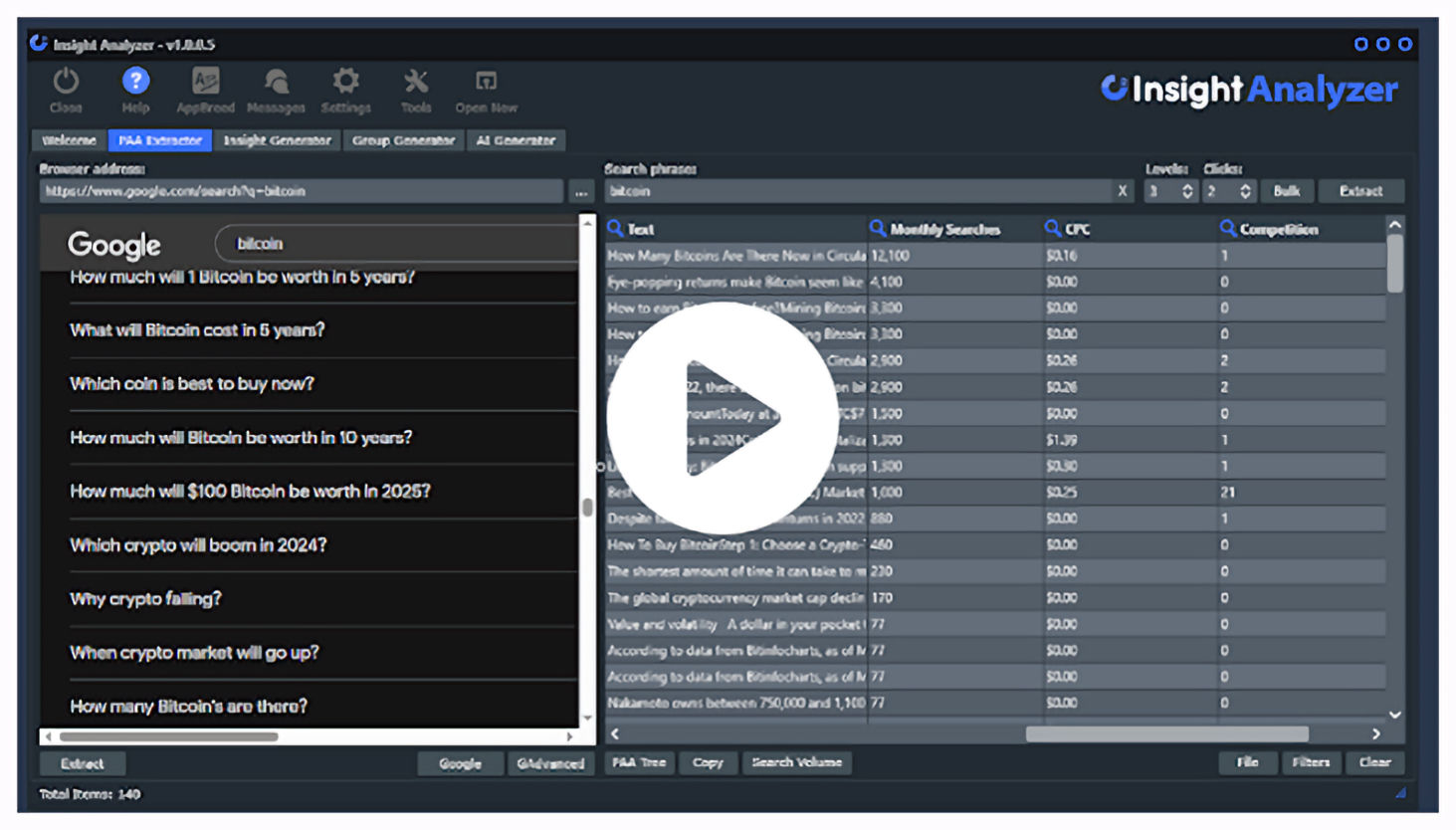
This video was created by creator of Insight Analyzer Dave Guindon a 20 Year Software Engineer. It gives you a breif overview of Insight Analyzer.
What Is Insight Analyzer?
Insight Analyzer is an SEO content research and creation tool designed to help bloggers, affiliate marketers, content creators, agencies, and website owners uncover what people are actually searching for online.
It helps you find: Real questions from Google’s “People Also Asked” section Long-tail keyword ideas from Google, Bing, YouTube, and Amazon.
Keyword groups for SEO and PPC campaigns AI-generated articles using your OpenAI API key.
Content ideas from YouTube videos and scraped articles.
Search volume and CPC data through Keywords Everywhere integration In other words, it is not just a keyword tool. It is more like a content idea machine wearing a wizard hat.
The Star of the Show: The PAA Extractor
The PAA Extractor is where Insight Analyzer really starts sprinkling the magic dust. Google’s “People Also Asked” section is packed with questions from real users. These are not random guesses. These are search-intent clues served directly from Google’s own playground.
Insight Analyzer can pull unlimited PAA questions up to 8 levels deep, which can result in 1,200+ questions from a single query. That is not a keyword list. That is a content kingdom.
You can export your findings as:
CSV
HTML tree files
PNG
SVG.
This makes it easy to plan articles, build FAQ sections, create content briefs, or hand research over to writers without needing to explain everything from scratch.
For bloggers and niche site owners, this tool alone can uncover enough content ideas to keep your editorial calendar happily stuffed for months.
Keyword Research That Goes Beyond the Obvious
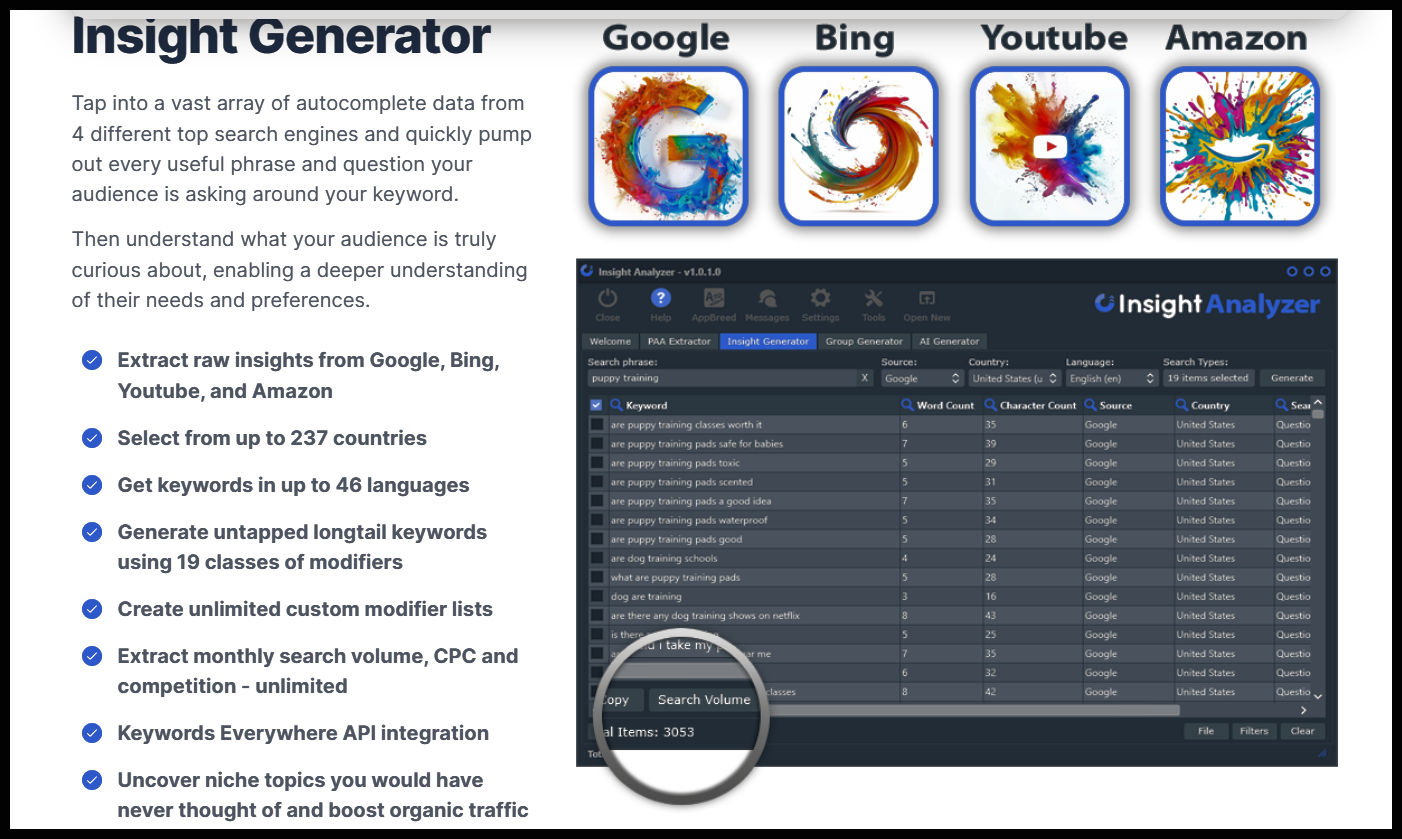
Next up is the Insight Generator, which pulls autocomplete and autosuggest keyword data from: Google Bing YouTube Amazon.
It also includes 19 pre-loaded modifier lists, plus the option to add unlimited custom modifiers. That means you can quickly discover long-tail keyword ideas like:
“best…”
“how to…”
“for beginners…”
“near me…”
“vs…”
“review…”
“alternatives…”
These are the kinds of keywords that often reveal buyer intent, content gaps, and niche opportunities your competitors may have missed while chasing big shiny keywords with impossible competition.
This is where Insight Analyzer starts feeling less like software and more like a tiny SEO detective with a magnifying glass.
Group Generator:
Turn Keyword Chaos Into Order Keyword research can get messy fast. One minute you are collecting ideas. The next, you are staring at a spreadsheet that looks like it was attacked by a flock of caffeinated pigeons.
The Group Generator helps fix that. It clusters your keywords and PAA questions into tight, relevant groups. This is especially helpful for:
Planning blog categories
Creating topic clusters
Building SEO silos
Organizing PPC campaigns
Creating article outlines
Instead of having a giant pile of keywords, you get clear groups that make sense. That means less guesswork, better structure, and a much smoother path from research to published content.
Built-In AI Content Creation
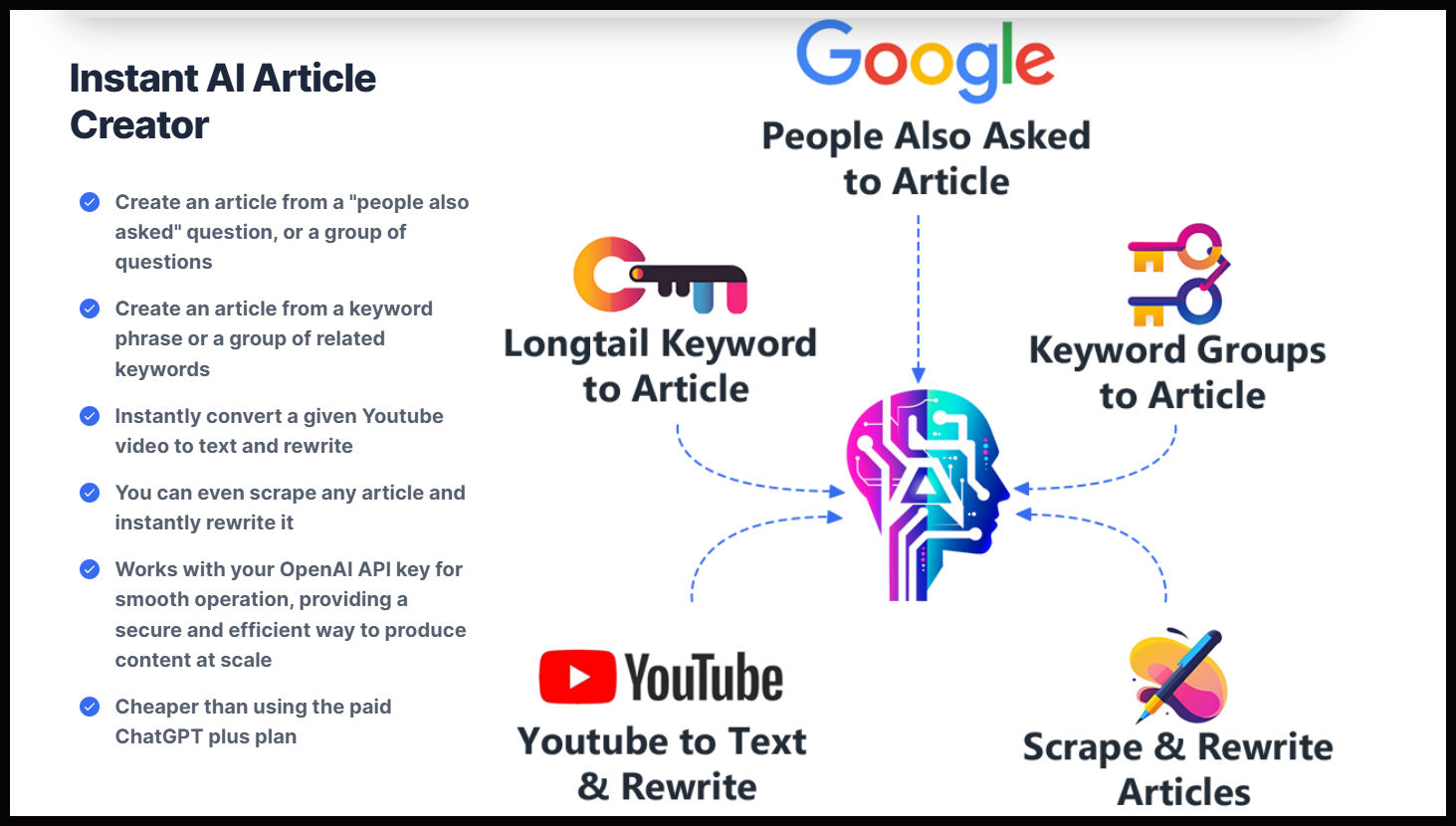
Insight Analyzer also includes an AI Generator that can create long-form articles using your own OpenAI API key. It can generate articles up to 10,000 words, rewrite scraped articles, convert YouTube videos into text, and even post content directly to unlimited WordPress sites.
That is a big deal. You also get: 24 tone-of-voice styles AI image generation using DALL·E 2 and DALL·E 3 YouTube-to-article conversion WordPress posting support The OpenAI API key is an extra setup step, but the potential cost is very low.
According to my information, API usage may run around $1–$3 per month, compared with paying monthly for other AI subscriptions.
So instead of juggling five tabs, three tools, two subscriptions, and one headache, you can research, organize, write, and publish from one desktop app.
Very tidy. Very clever. Very “why didn’t I find this sooner?”
AI Browser: No API Key?
No Problem
Not ready to mess with API keys?
Insight Analyzer includes an AI Browser, letting you access tools like: ChatGPT Gemini Bing Copilot Claude This means you can still use AI inside the software without connecting an OpenAI API key. It is a nice safety net for beginners and a convenient shortcut for experienced users who like having everything under one roof.
Keywords Everywhere Integration
For those who want more data, Insight Analyzer also integrates with a paid Keywords Everywhere account.
This can provide useful metrics like:
Search volume CPC Competition data
URL traffic metrics
This is especially useful for affiliate marketers, SEO professionals, and PPC users who want to judge whether a keyword is worth chasing before creating content around it.
The Price Is the Cherry on the SEO Cupcake
Here is where things get especially attractive. Insight Analyzer is currently listed as a one-time payment of $47 with coupon code INSIGHT20, reduced from $67. You also get: No monthly fees
Install on up to 10 computers
30-day money-back guarantee
Free lifetime updates for version
A I review their is an offer of a bonus bundle
And the bonus bundle is not tiny either. It includes: 12 PDF reports 10 content videos 10 AI image videos 413,000+ PLR articles For a one-time price, that is a very generous package.
In the subscription-soaked world of SEO software, Insight Analyzer feels like someone opened a window and let fresh air into the room.
Are There Any Downsides?
Yes, a few.
The full AI Generator requires an OpenAI API key, which may feel a little technical for complete beginners.
It is also desktop software, so you will not be using it from a mobile phone or cloud dashboard.
And if you want deeper keyword metrics like search volume and CPC, you will need a paid Keywords Everywhere account.
But honestly, none of these are deal-breakers. They are more like small speed bumps on an otherwise very useful road
Final Verdict:
Is Insight Analyzer Worth It?
Yes — especially if you create SEO content regularly.
Insight Analyzer is ideal for: Bloggers who need endless content ideas
Affiliate marketers looking for buyer-intent keywords
SEO freelancers building content plans for clients
YouTubers turning video topics into articles
Website owners tired of monthly software bills
Content creators who want research, grouping, AI writing, and publishing in one place
The biggest strength is simple: it helps you find what people are already searching for and turn those insights into content faster.
That is exactly what a good SEO tool should do. Insight Analyzer is not just another shiny object. It is a practical, affordable, content-boosting toolbox that can pay for itself with one well-performing article.
MyStrong Recommendation
If you are tired of staring at a blank screen wondering what to write next, Insight Analyzer may be the little spark machine your content strategy needs. It digs up questions.
It finds keywords.
It groups ideas.
It helps create articles.
It saves you from monthly fees.
And it does all of that for a one-time price.
Grab Insight Analyzer today, use coupon code INSIGHT20 if still available, and start turning hidden search questions into traffic-pulling content before your competitors find them first.
Private Policy
© Copyright 2026 https://www.jwdirectsales.com
Please be advised that some of the links in this content are affiliate links, and at no additional cost to you, I may earn a commission if you decide to make a purchase after clicking any link. I only recommend products or services I believe will add value to my readers. Please understand the decision to purchase based on these links is entirely at your discretion.